A 30-DAY TERM
Sign 30 days. Get the receipt.
DoMyBest keeps the promise you made to yourself. You sign a short term, prove each day with the timer, Apple Health or a photo, and the term closes with a receipt you can keep.

Counted, not guessed
Three figures from public sources, each read against its primary page. The year is the year the data describes.
UK adults spend an average of four and a half hours a day online, and 77% of that time is on a smartphone.
Ofcom, Online Nation 2025 (2025). Source
Office workers stay on a single screen for about 47 seconds on average before switching.
Gloria Mark, UC Irvine, quoted by University of California (2020 data). Source
About 22% of American adults aged 25 and over meet both the aerobic and the muscle-strengthening guideline.
CDC MMWR QuickStats, National Health Interview Survey (2022). Source
Your term
Five steps, in order. There is no way to skip to the receipt.
Sign it
Pick what you will do and for how long. The term runs 30 days.
Declare the day
Each morning, name the blocks you will do, or take them from your calendar.
Prove it
The timer, Apple Health or a photo makes a block proven. Your word alone is marked as claimed.
Close the day
Every miss gets an answer before the day closes. Nothing is dropped quietly.
Keep the receipt
At day 30 the term prints a receipt. Renew it, or stop with the record intact.
Inside the app
Real screens, from the build on the phone.
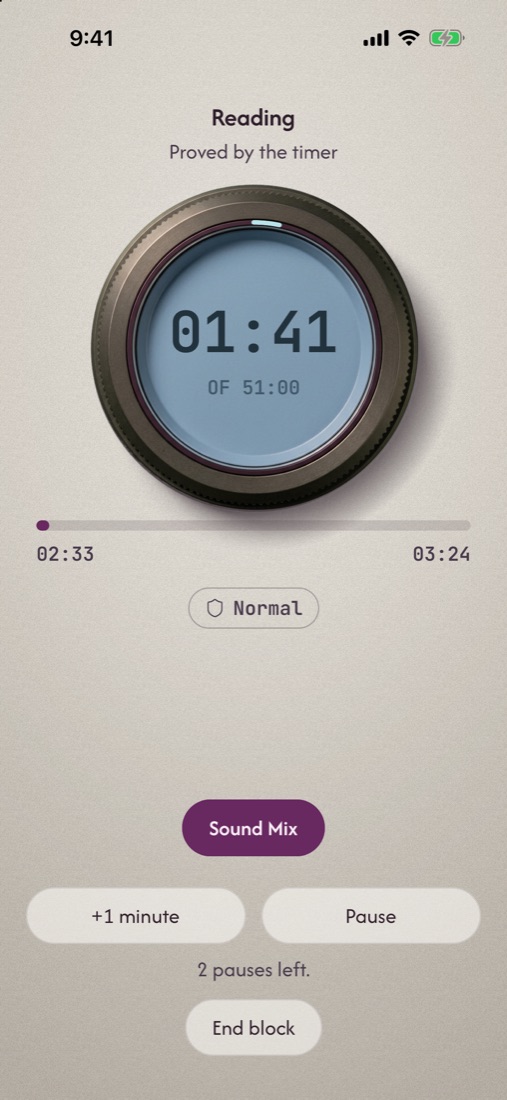
A block you cannot fake
Start a block and the timer runs. Leave the app and the leave is recorded, with when it happened and how long you were away.
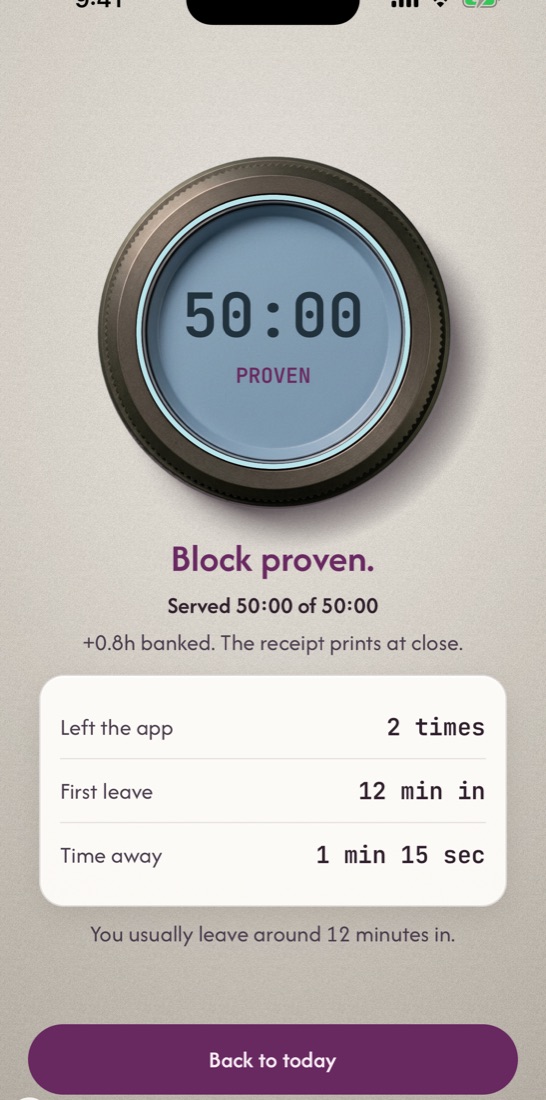
Proven, with the detail
A finished block says what was served and what was not. The receipt prints when the day closes.
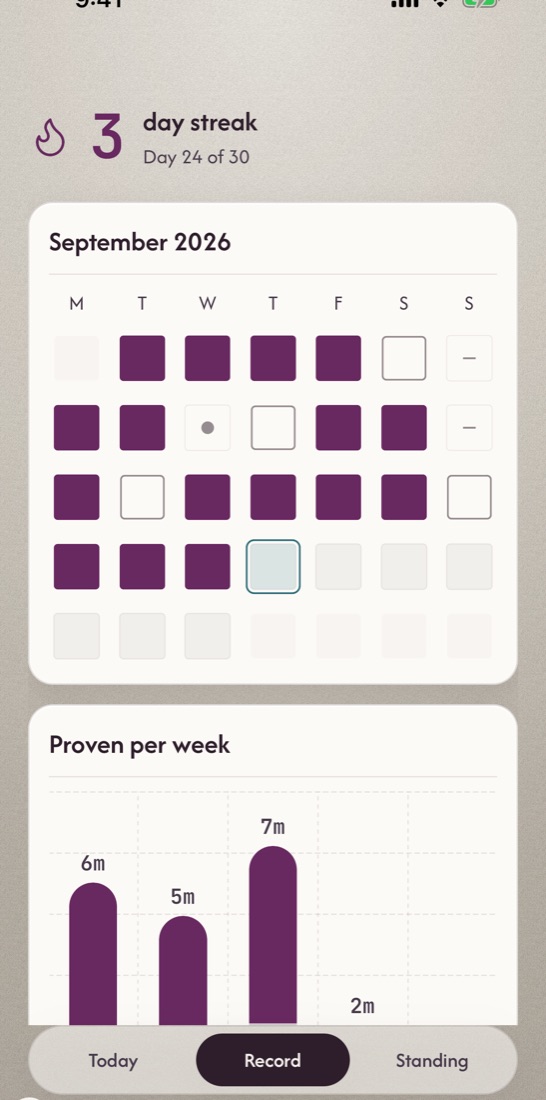
A record that is yours
Every day of the term is kept, proven or not. Export one page of it to hand to a coach, a friend or no one.
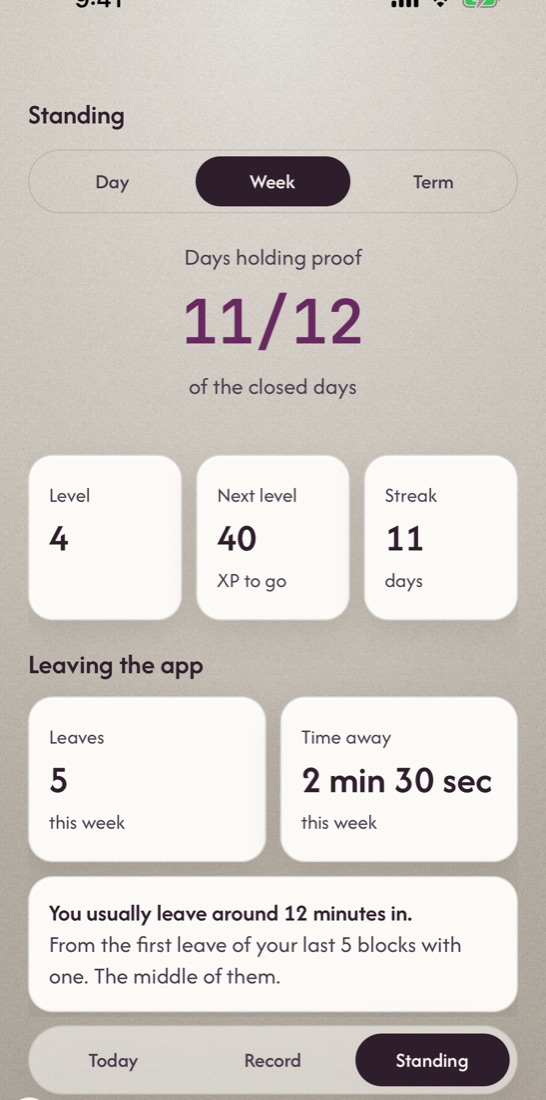
Where you stand
Standing counts what happened against your own baseline. It does not type you or tell you who you are.
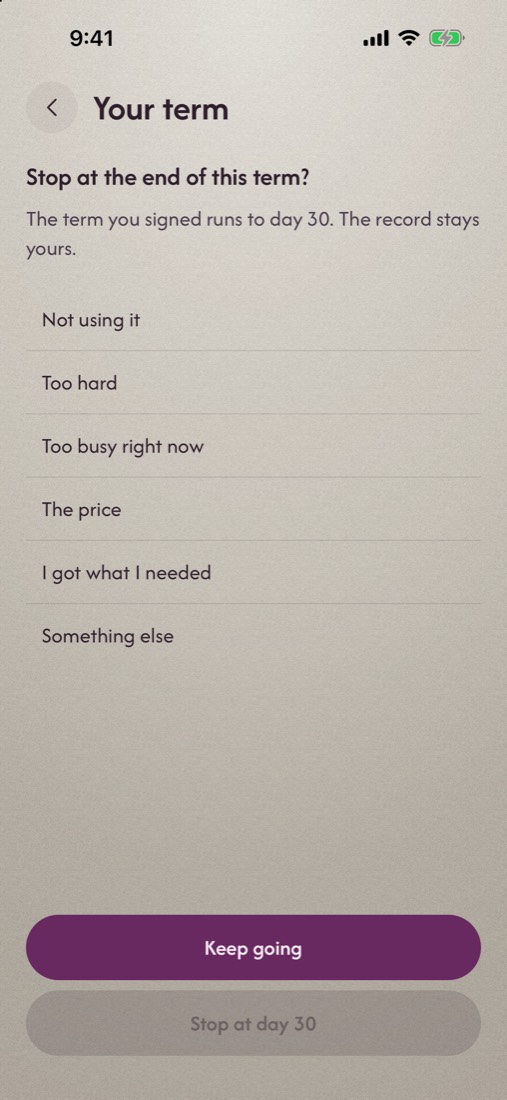
A term can end
Stopping at day 30 is a choice you can make. The record stays yours either way.
Around the term
Smaller tools that support the day.
Get grounded
A short guided pause for the moment before a block.
Block the feed
Android holds the apps you pick behind a shield until the day is proven. iPhone follows when Apple approves Screen Time access.
Declare from your calendar
Offer a meeting-free hour as a block, when you allow calendar access.
Widgets and Live Activity
The day and the running block, on the Home Screen, the Lock Screen and the Dynamic Island.
One-page export
The record, printed as a single page, with what it was proven by.
Share links
Send a friend a link to witness a term or sign one with you. It opens in the browser; they need no app to read it.
Questions
What is a term?
A fixed run of 30 days that you sign up front. It has a start, a daily record and an end. At the end you get a receipt and choose whether to renew.
What counts as proven?
A block finished on the timer, a figure from Apple Health, or a photo taken in the app. Anything you only say you did is kept, and marked claimed.
When can I get it?
The App Store and Google Play listings are not live yet. This page will link to them when they are.
Where does my record live?
On your phone. Photo backup and share links are off until you turn them on.
Does it block apps?
On Android, yes: the apps you pick wait behind a shield until the day is proven. On iPhone, not until Apple approves the Screen Time access the feature needs.
How do I delete my account?
In the app, or from the deletion page. Questions go to hello@mail.domybestapp.com.
Sign your first 30 days
The app is not in the stores yet. Opened a link from a friend? It opens right here in the browser.